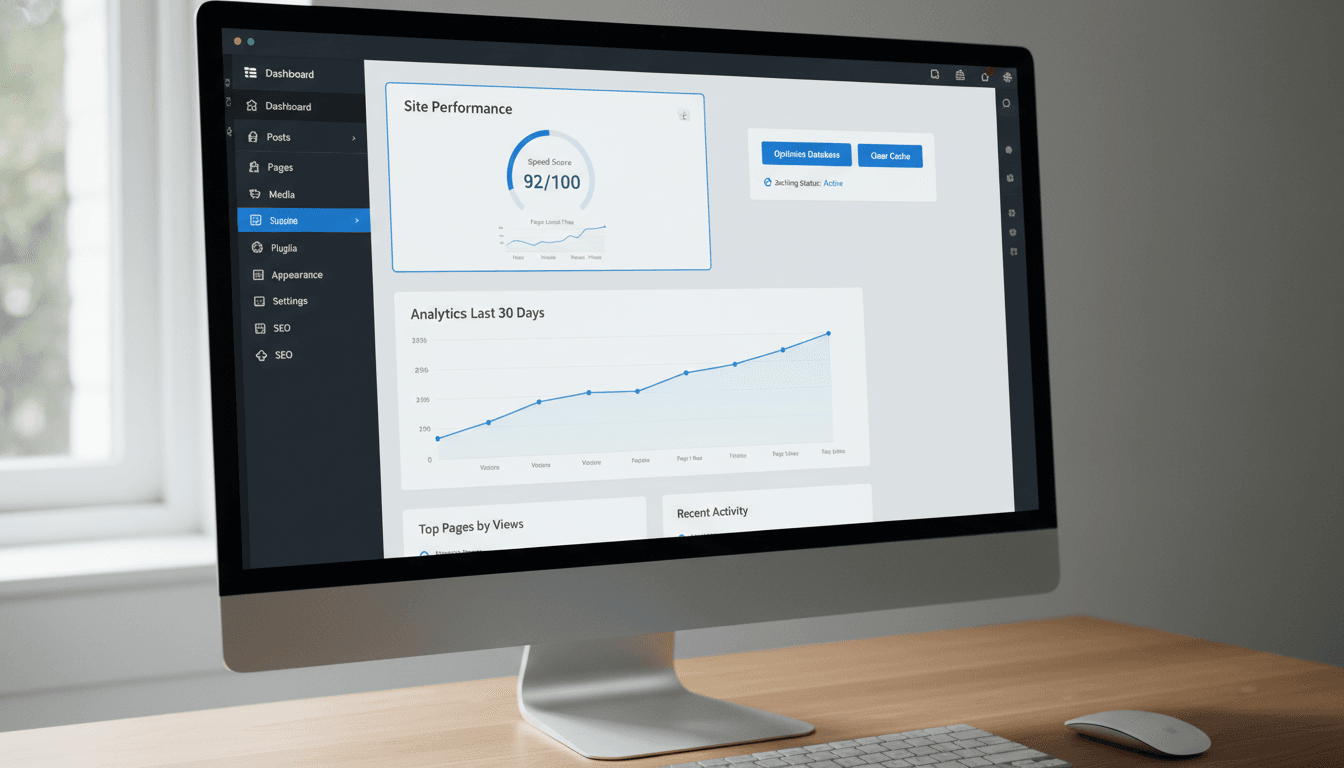
Why WordPress Speed Optimization Matters in 2025
If your WordPress website is slow, you are not just losing speed – you are losing traffic, customers, rankings, conversions, and trust.
Google now uses Core Web Vitals as a major ranking factor. Slow websites simply do not rank.
A 2025 study shows:
- A 1‑second delay = 20% drop in conversions
- Slow mobile speed = 30% higher bounce rate
- Poor Web Vitals = up to 40% ranking loss
Whether you run a blog, business website, WooCommerce store, or agency -optimizing your WordPress speed is no longer optional.
This guide covers everything:
- WordPress speed optimization
- Core Web Vitals fixes (INP, LCP, CLS)
- Google PageSpeed Insights optimization
- WooCommerce optimization
- Database cleaning, plugin reduction, TTFB reduction
- Hosting comparison
- Best speed plugins of 2025
- Elementor, Divi, Avada speed fixes
And much more.
Let’s begin.
WordPress Speed Optimization Service (What It Is & Why It Matters)
If your site is slow and laggy, you need a WordPress speed optimization expert -someone who knows how to fix:
- Slow mobile speed
- Slow backend dashboard
- High CPU usage
- Render‑blocking resources
- Large images
- Plugin conflicts
- Slow WooCommerce performance
- High TTFB (server response time)
A professional speed optimization service includes:
- Core Web Vitals fixing
- Google PageSpeed Insights optimization
- Full caching setup (server + plugin level)
- Image compression & WebP conversion
- Database optimization
- Removing unused JavaScript & CSS
- Reducing total blocking time
- Improving INP, LCP, CLS scores
If your WordPress site is slow, optimization is the fastest way to increase traffic and conversions.
WordPress Core Web Vitals Fix (Complete Breakdown)

Core Web Vitals are made of three major metrics:
1. INP (Interaction to Next Paint)
How to Fix INP in WordPress

- Remove heavy JS plugins
- Delay JavaScript execution
- Reduce third‑party scripts (chat widgets, analytics, social icons)
- Use a performance‑focused theme
- Minimize main‑thread work
- Use caching plugins like WP Rocket, LiteSpeed Cache
2. LCP (Largest Contentful Paint)
Fix Largest Contentful Paint (LCP) WordPress

- Serve images in next‑gen formats
- Preload LCP images
- Remove render‑blocking resources
- Improve server response time (TTFB)
- Use CDN
3. CLS (Cumulative Layout Shift)

Fix CLS Issue WordPress
- Set width & height for all images
- Avoid dynamic ads or popups
- Use font‑display: swap
- Ensure text remains visible during webfont load
Complete Google PageSpeed Insights Optimization for WordPress

These are the biggest issues site owners face:
Eliminate render‑blocking resources
- Defer JS
- Inline critical CSS
- Remove unused CSS
Reduce initial server response time (TTFB)
- Use fast hosting (Cloudways, SiteGround)
- Optimize database
- Reduce CPU usage
Remove unused CSS
- Use WP Rocket’s remove‑unused‑CSS feature
- Or Autoptimize + Async CSS
Minimize main-thread work
- Reduce JavaScript
- Disable unnecessary plugins
Serve images in next‑gen formats (WebP/AVIF)
- ShortPixel
- Imagify
- Smush Pro
Defer offscreen images
- Lazy loading
- Responsive image sizes
WooCommerce Speed Optimization

WooCommerce is heavy.
Why WooCommerce slows down:
- Too many scripts
- High database usage
- Large product images
- Slow hosting
- Heavy page builders
WooCommerce Speed Optimization Checklist
- Enable object caching
- Use LiteSpeed or Redis cache
- Disable unnecessary WooCommerce scripts
- Optimize checkout flow
- Use CDN
- Reduce large product images
If you run an online store, hiring a WooCommerce speed optimization expert is the fastest way to increase
Why Your WordPress Website Is Slow

Common Reasons:
- Cheap/slow hosting
- Heavy themes (Elementor, Divi, Avada)
- Too many plugins
- Unoptimized images
- No caching
- Large JS payloads
- No CDN
- Slow database
- PHP outdated
- WooCommerce overload
Why Your Site Is Slow on Mobile
- Mobile has lower RAM
- Large hero images
- Heavy animations
- Large fonts
- Non‑optimized CSS/JS
- Slow hosting
Speed Optimization for Page Builders

Elementor
- Enable “Optimize DOM Output”
- Reduce motion effects
- Replace heavy widgets
- Use a lightweight theme (Hello + addons)
Divi
- Reduce Divi animations
- Minify assets
- Offload Divi videos & images
Avada
- Disable unused features
- Reduce global JS
- Use performance wizard
Best Plugins for WordPress Speed Optimization (2025)

Top Plugins
- WP Rocket (best overall)
- LiteSpeed Cache (best free)
- Autoptimize (CSS/JS control)
- WP Optimize (database cleaning)
- ShortPixel / Imagify / Smush (image optimization)
- Perfmatters (disable unused scripts)
- NitroPack (premium all‑in‑one)
Database Optimization (Safe Method)

- Clean post revisions
- Remove transients
- Optimize tables
- Delete spam comments
- Use WP‑Optimize or Advanced DB Cleaner
Best Hosting for Speed (2025)

Fastest WordPress Hosting
- Cloudways
- SiteGround
- WPX Hosting
- Hostinger (mid‑range)
- Kinsta
Cloudways vs SiteGround
- Cloudways = fastest
- SiteGround = easier for beginners
Full Technical Optimization Checklist

- Minify CSS
- Minify JS
- Delay JS execution
- Preload key requests
- Preconnect to CDN
- Lazy load images & iframes
- Limit DOM size
- Reduce total blocking time (TBT)
- Remove unused plugins
Advanced Performance Tuning

- Use Redis object cache
- Offload media to S3 or CDN
- Host fonts locally
- Reduce main‑thread JS
- Split long pages
Fixing WordPress Total Blocking Time

- Reduce JS execution
- Disable jQuery Migrate
- Use lightweight themes
- Limit animations & sliders
FAQs
Why is my WordPress site slow?
Ans: Heavy plugins, slow hosting, unoptimized images, no caching.
How to speed up Elementor?
Ans: Reduce widgets, optimize DOM, lazy load everything.
Best cache plugin in 2025?
Ans: WP Rocket (paid), LiteSpeed Cache (free).
Professional WordPress Speed Optimization Service

If your WordPress site is slow, we can fix it.
Our service includes:
- 100% Core Web Vitals fixing
- Google PageSpeed score 90+ improvement
- Full mobile optimization
- WooCommerce speed optimization
- Slow backend dashboard fix
- Reduce CPU usage
- Malware removal + speed fix
- 24/7 expert support
Message us now to speed up your WordPress website professionally.