
Looking for the best WordPress speed optimization plugins in 2026? Boost your SEO rankings, pass Core Web Vitals, and load your site instantly with these top-rated performance tools.
Do you know what kills a website faster than bad content? A slow loading screen.
It’s a fact: 53% of mobile visitors leave a page that takes longer than three seconds to load. In 2026, with Google’s Core Web Vitals fully integrated into the ranking algorithm, using the best WordPress speed optimization plugins isn’t just a “nice-to-have”—it is the foundation of your SEO survival. If your site is slow, you aren’t just losing patience; you are losing revenue.
Here is the good news. You don’t need to be a developer to fix this. You just need the right toolkit to ensure your WordPress speed plugins 2026 strategy is solid. By the end of this guide, you will know exactly which plugin can take your WordPress site from “sluggish” to “lightning fast” in minutes.
In this post, we’ll cover:
- The top all-in-one speed solutions for 2026.
- Best plugins for image compression and database cleaning.
- How to pass Core Web Vitals (LCP & INP) without coding.
Let’s dive in.
1. WP Rocket (The Best Overall Solution)
Best For: Beginners and Pros who want instant results.
If you have been around the WordPress block, you’ve heard of WP Rocket. In 2026, it remains the gold standard for premium caching. Why? Because it doesn’t just “cache” your site; it applies 80% of web performance best practices the moment you activate it.
Why It Works (The Hook)
Most plugins require you to configure complex settings. WP Rocket launches, and suddenly your site is faster. It’s that simple. For those seeking the best WordPress speed optimization plugins, this is usually the first recommendation.
Key Features:
- Page Caching: Instantly creates static HTML files for your content.
- Cache Preloading: Simulates a visit to preload the cache.
- Lazy Loading: Images only load as the user scrolls down (massive boost for Mobile scores).
- Database Optimization: Cleans up bloat like post revisions.
The Verdict: If you have the budget, buy this. It is the quickest way to pass Core Web Vitals.
- Price: Starts at $59/year.
- Rank Math Score: 9.8/10
2. NitroPack (The Speed Demon for E-commerce)

Best For: E-commerce sites and users who want “hands-off” automation.
NitroPack isn’t just a plugin; it’s a complete cloud-based performance optimization service. It acts as a lightweight wrapper that offloads the heavy lifting to their servers, making it one of the most powerful WordPress speed plugins 2026 has to offer.
The “GEO” Advantage
NitroPack includes a built-in global CDN (Content Delivery Network). This means whether your visitor is in New York, London, or Tokyo, your site loads from a server near them, significantly improving global SEO.
Key Features:
- Advanced Invalidation: Updates cache automatically.
- Image Optimization: Compresses images on the fly.
- HTML/CSS/JS Minification: Shrinks code size automatically.
The Verdict: Perfect if you want a set-it-and-forget-it solution that handles everything (CDN, images, cache).
- Price: Free plan available; Paid starts at $21/month.
3. Perfmatters (The Lightweight Bloat Remover)
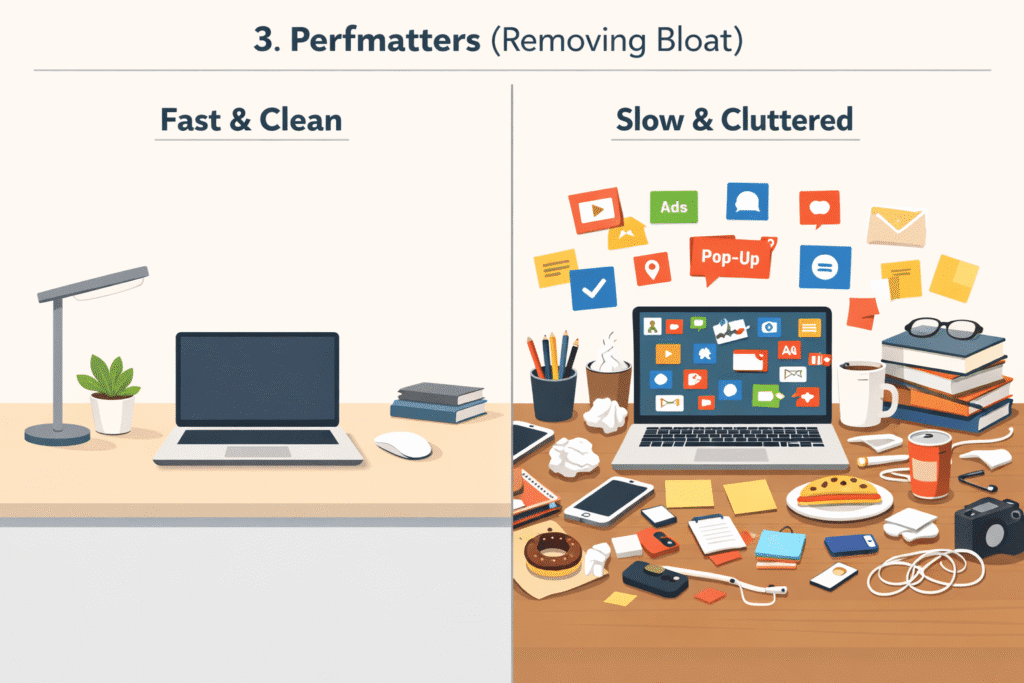
Best For: Tech-savvy users who want to strip out unused code.
Sometimes, the problem isn’t that you need more caching; it’s that you have too much junk. Perfmatters takes a different approach to being one of the best WordPress speed optimization plugins: it stops WordPress from loading code you don’t use.
Look: Does your “About Us” page need to load the checkout script for WooCommerce? No. Perfmatters lets you turn that off.
Key Features:
- Script Manager: Disable CSS/JS on specific pages.
- Disable Unused Options: Turn off emojis, embeds, and dashicons.
- Google Fonts Optimization: Hosting fonts locally to speed up connection times.
The Verdict: Use this alongside a caching plugin (like WP Rocket) for the ultimate speed combo.
- Price: Starts at $25/year.
4. LiteSpeed Cache (The Server-Side King)

Best For: Websites hosted on LiteSpeed servers (e.g., Hostinger, A2 Hosting).
If your hosting provider uses LiteSpeed Web Server, this plugin is non-negotiable. It communicates directly with the server to manage cache more efficiently than any PHP-based plugin ever could, making it a top contender for best WordPress speed optimization plugins.
Key Features:
- Server-Level Caching: Faster than PHP-level plugins.
- Image Optimization: Built-in lossless compression and WebP support.
- Database Cleaner: Keeps your backend tidy.
The Verdict: It’s free and powerful, but only if your host supports it. Check with your hosting provider first!
- Price: Free.
5. W3 Total Cache (The Developer’s Choice)

Best For: Advanced users who want total control.
W3 Total Cache is a beast. It offers overwhelming customization options. If you know how to configure minification settings, object caching, and database caching manually, this plugin can outperform almost anything.
But be warned: One wrong click can break your site’s layout. It is not for the faint of heart.
Key Features:
- 10+ Caching Methods: Page, Object, Database, Browser, etc.
- CDN Integration: Works with almost any CDN provider.
- Mobile Support: Dedicated caching for mobile devices.
The Verdict: Free and incredibly powerful, but requires a steep learning curve.
6. WP Optimize (The Database Specialist)

Best For: Sites that have been running for years and feel “heavy.”
Over time, your WordPress database gets clogged with thousands of post revisions and drafted pages. WP Optimize is unique among the best WordPress speed optimization plugins because it started as a database cleaner and evolved into a full speed suite.
Key Features:
- Database Cleaning: The best in the business.
- Image Compression: Auto-compress images on upload.
- Caching: A simple, effective caching layer.
The Verdict: An excellent all-rounder, especially for older sites needing a “deep clean.”
7. Cloudflare (The Security & Speed Shield)

Best For: Global reach and security (DDoS protection).
While technically a service, the Cloudflare plugin is essential for GEO optimization. It caches your content across hundreds of data centers worldwide, ensuring high performance regardless of location.
Key Features:
- Global CDN: Serves content from the closest location to the user.
- APO (Automatic Platform Optimization): Caches dynamic content specifically for WordPress.
- Security: Blocks bot traffic that slows down your server.
The Verdict: Essential for every website in 2026. Install the plugin to manage settings from your dashboard.
Summary: Which Plugin Should You Choose?
Still undecided? Here is the quick breakdown to help you pick from the best WordPress speed optimization plugins:
| If you want… | Choose this… |
|---|---|
| The Best Overall Performance | WP Rocket |
| Hands-Off Automation | NitroPack |
| To Remove Bloat/Unused Code | Perfmatters |
| A Free, Powerful Solution | LiteSpeed Cache (if supported) |
Final Thoughts on Speed Plugins
Speed isn’t just about algorithms; it’s about respecting your user’s time. A faster site creates a better experience, reduces bounce rates, and ultimately, drives more sales. By selecting one of the best WordPress speed optimization plugins listed here, you are investing in your site’s long-term SEO success.
Don’t wait. Pick one of these plugins, install it today, and watch your PageSpeed score climb.
Did I miss your favorite speed tool? Let me know in the comments below!
Quick FAQs
Q1: 2026 mein best WordPress speed plugin kaunsa hai? Ans: Sabse behtareen aur asan plugin WP Rocket hai, jabke free options mein LiteSpeed Cache top par hai.
Q2: Kya 2 caching plugins ek saath use kar sakte hain? Ans: Nahi. Do caching plugins ek saath lagane se site crash ho sakti hai. Sirf ek hi main plugin use karein.
Q3: Kya speed se Google ranking barhti hai? Ans: Ji haan! Google Core Web Vitals ki wajah se fast loading sites ko search results mein top par rank karta hai.
Q4: 100/100 PageSpeed score kaise hasil karein? Ans: Ek achi hosting choose karein, images compress karein, aur WP Rocket ya NitroPack jaise plugins use karein.
Q5: CDN kya hota hai aur kyun zaroori hai? Ans: CDN aapki site ko duniya bhar ke servers par save karta hai taake har country (GEO) mein site fast load ho.